The new BillGrid is here, with a cleaner design, document templates, retainers and a Help Center. See what's new or, if something isn't working, contact us.

Do the work.
Get paid.
Skip the rest.

Estimates, invoices, time and payments — in the blink of an eye.

While you're away

Close the laptop.
BillGrid keeps going.

Reminders go out on time, retainers bill on schedule, and payments land and get marked paid — while you're with a client, on site, or simply offline.

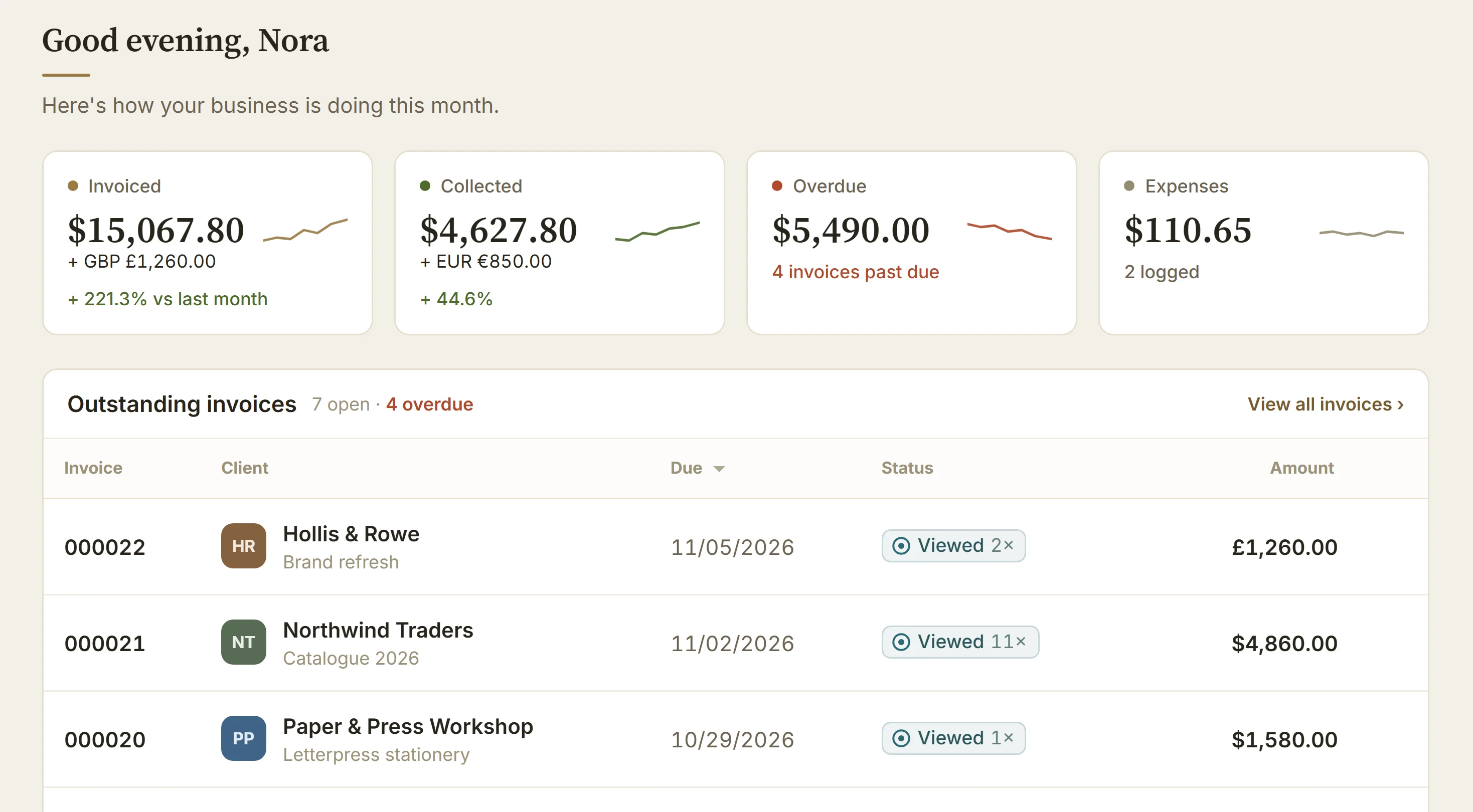
The BillGrid dashboard: invoiced, collected and overdue totals above the outstanding invoices

See how BillGrid fits your business.

Describe what you do and what slows you down. We'll show you the parts of BillGrid you'd use first.

  • Recurring invoicesRetainers and memberships generate and send themselves.
  • Online paymentsCard payments via Stripe, straight from the invoice page.
  • Automated remindersPolite nudges before and after the due date — no chasing.
  • EstimatesClients approve online; convert to an invoice in one click.

Invoicing
and estimates.

A wide, calm editor that does the arithmetic. Clients, saved items, taxes, discounts and currency in one sheet — estimates convert to invoices without retyping a line.

See every feature
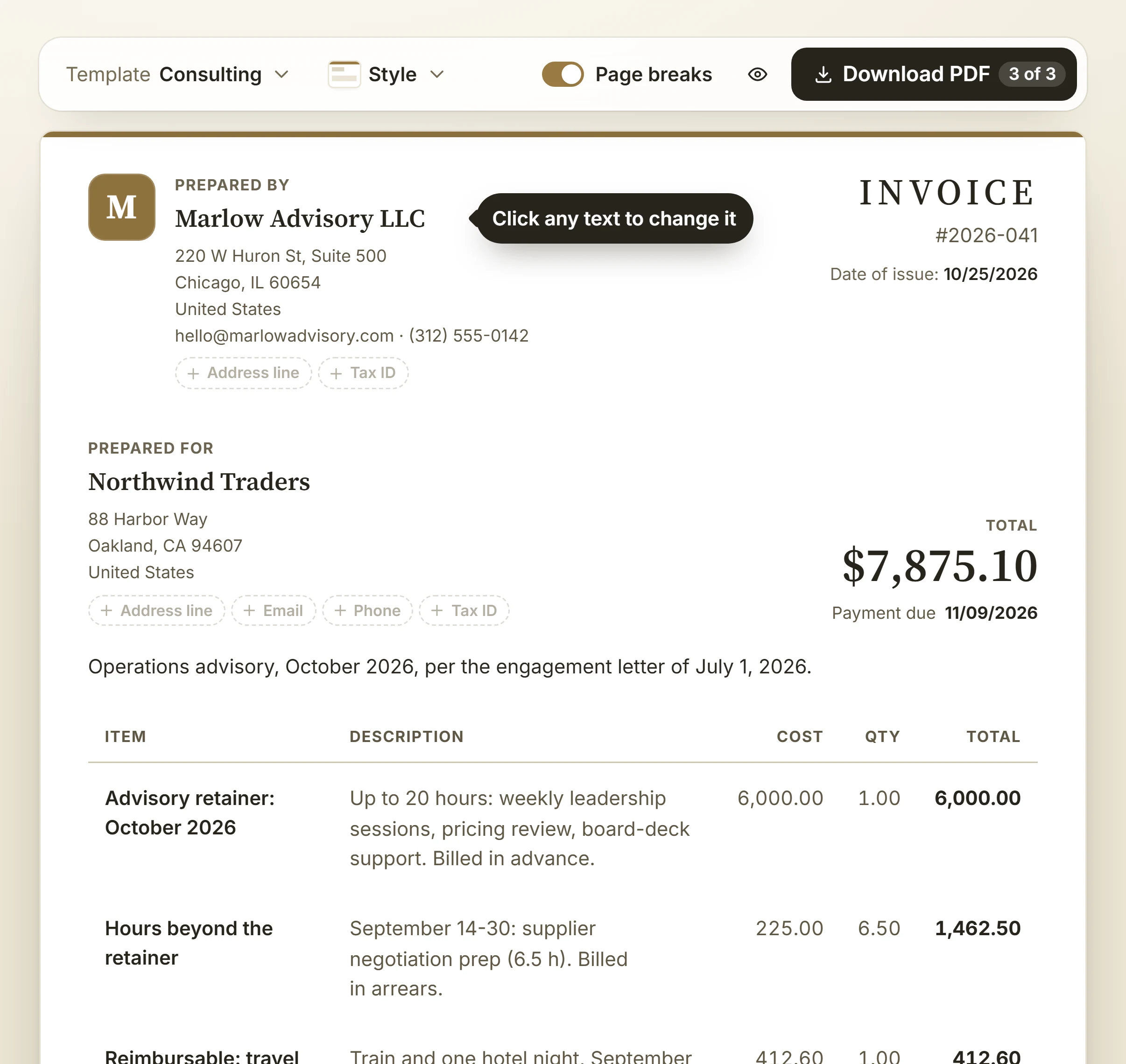
The BillGrid invoice editor: client, dates, line items with tax, discount and total, beside currency, payment options and attachments
  • Saved line itemsProducts and services you bill often, one click away.
  • Taxes and discountsTax on any line, a discount on the total, the sums done for you.
  • Time and expensesPull tracked hours and billable costs straight onto the invoice.
  • More than one businessSend each invoice from the right business, with its own logo and colours.

Everything between
the work and the money.

Three jobs, one app. The screens below are BillGrid as it is today, not mockups.

01 · Get paid

Invoices out.
Money in.

Every invoice has its own page your client can open anywhere and pay by card. The moment they do, it's marked paid.

  • Reminders before and after the due date
  • Partial payments with an honest balance
  • Each client billed in their own currency
The invoices list with paid, sent and overdue totals
The same invoice as the client sees it on a phone, with a Pay now button

02 · Track the work

Hours and costs,
ready to bill.

Log time with a timer or a weekly grid, keep costs next to the job, and pull both onto the next invoice.

  • Projects, tasks and billable hours
  • Expenses by client and category
  • Retainers that invoice themselves
A weekly timesheet with hours by project and task

03 · Know your numbers

The whole year
on one page.

Revenue by client and month, what's outstanding and what's been paid — without a spreadsheet.

  • Profit and loss, payments and time
  • Print, or export to CSV and Excel
  • Each currency kept separate
A client revenue report by month

How much time would you get back?

Move the sliders to match your month. The maths is simple and yours to adjust — no made-up benchmarks.

Your estimate · per year

132 hours back

Worth, at your rate

$11,880

Working days

16.5

Assumes automatic reminders remove the chasing hours you entered. Your numbers, not a promise — try it free for 30 days and measure it yourself.

From first quote to paid, in four steps.

  1. Quote

    An estimate from your saved items, approved online.

  2. Track

    Timer and weekly timesheet against the project.

  3. Invoice

    Hours, expenses and estimate lines on one invoice.

  4. Get paid

    Card payment from the client page; reminders if needed.

Security

Your money and your clients' details, handled with care.

Encrypted, every page

Every page is served over HTTPS, so what you send to BillGrid is encrypted on the way.

Cards stay with Stripe

Clients pay in Stripe's secure card form. Card details go straight to Stripe. We never see or store full card numbers.

Sign-ins protected

You sign in over an encrypted connection, and we'll never email or call asking for your password.

Leave on your terms

Export any report to CSV or Excel, cancel whenever you like, and close your account yourself from Settings.

Questions about security or privacy? Write to support@billgrid.com · Privacy policy

Simple pricing. 30 days free.

Professional

For independents

$8 /month

  • Unlimited invoices, estimates & clients
  • Online card payments, via Stripe
  • Automated reminders & recurring invoices
  • Time tracking, expenses & reports
Start free

No card to start · cancel any time

Time is money.
Keep both.